
The BNP Paribas customer space today relies on an authentication mechanism that goes beyond the simple username-password pair. Since the implementation of the European Payment Services Directive (PSD2), logging into the online account includes enhanced verification, and this system conditions the entire experience of remote financial management.
BNP Paribas Digital Key: the lock that conditions everything else
Most online guides describe logging in as a matter of customer number and virtual keyboard. This step still exists, but it is no longer sufficient for the majority of operations.
The Digital Key is the strong authentication device rolled out by BNP Paribas in the My Accounts app. It requires a second factor, either biometrics (fingerprint or facial recognition) or a personal code defined in the app, to validate the login and sensitive operations.
In practical terms, without an activated Digital Key, you can view your balances, but you will not be able to validate a transfer to a new beneficiary, modify your card limits, or confirm an online payment beyond a certain threshold. Activation is done directly from the My Accounts mobile app, following the path provided after the first login.
For those who wish to access my BNP account online without blockage, activating the Digital Key is the first step to address, even before looking into management features.
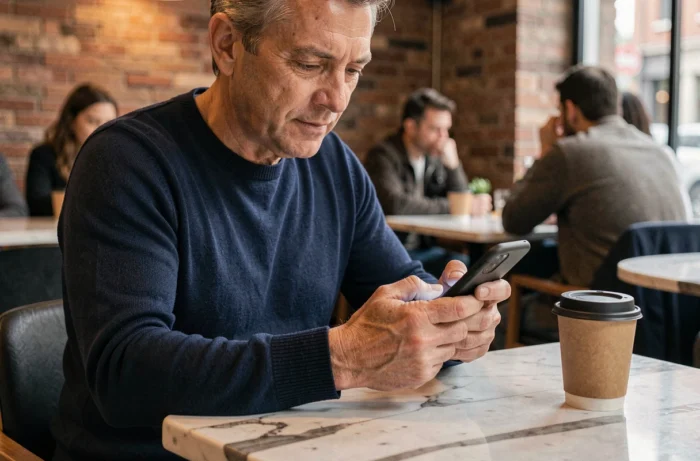
BNP login from the mobile app: what the website does not do
The customer space accessible via mabanque.bnpparibas on a browser allows you to view your accounts and make transfers. However, the My Accounts mobile app offers functions that the website does not replicate.
- Balance consultation without full authentication: the app allows you to display the balance of the main account directly from the home screen, without having to go through the username + Digital Key path every time you open it
- Real-time notifications on each card transaction, turning expense tracking into a continuous stream rather than a one-time check of statements
- Management of card limits (payment and withdrawal) that can be modified in seconds, whereas the website often redirects to a form or requires a call to a consultant
- Access to instant payments via Wero, the mobile transfer service between individuals that is gradually replacing older payment mechanisms among friends
The app remains the preferred channel for BNP Paribas to roll out its new features. The website retains a role for consultation and document management (statements, contracts), but the functional gap is widening.
Blocked BNP customer space: the real causes and remedies
A blocked access to the customer space does not always mean a forgotten password issue. Several situations can cause a lockout, and the solutions vary depending on the cause.
Lockout after login attempts
Three incorrect entries of the secret code result in a temporary lockout of the online account. Resetting it can be done via the voice server or by visiting a branch with an ID. The virtual keyboard changes the position of the numbers with each login, which reduces the risk of capture by malicious software but increases input errors on mobile.
Desynchronized Digital Key
A change of phone or a reinstallation of the app disables the Digital Key. It must then be reactivated from the new device, an operation that requires receiving a code via SMS to the phone number registered with the bank. If this number has changed, only a visit to the branch or a call to customer service can resolve the situation.
The majority of access blocks are related to the Digital Key, not the password itself. Checking the status of this device before any other steps saves time.

Managing finances from the BNP space: the limits to know
The customer space allows you to categorize your expenses, view the history of transactions, and schedule recurring transfers. These functions cover everyday management, but several limits remain.
The aggregation of external accounts (accounts held at other banks) works unevenly. Connections with certain institutions are regularly interrupted, requiring reauthorization of access. Field feedback varies on the reliability of this function depending on the connected third-party banks.
Statements and contractual documents are accessible online for several years, which avoids keeping paper versions. However, searching the transaction history remains limited: beyond a few months, you must download the PDF statements to find a specific transaction.
For clients with a securities account or life insurance at BNP Paribas, viewing the balances is done from the same space, but operations for reallocating or making additional contributions redirect to dedicated interfaces, sometimes requiring new authentication.
Online BNP account security: the reflexes that change the game
The PSD2 and the Digital Key provide a foundation of protection, but they do not cover risks related to user behavior. Phishing attempts targeting BNP Paribas clients remain frequent, often in the form of SMS mimicking a security alert.
- BNP Paribas never asks for your secret code or to validate a Digital Key over the phone
- The legitimate login URL is mabanque.bnpparibas; any variant (bnp-paribas-securite.com or similar) is fraudulent
- Activating notifications for each card transaction allows you to detect an unauthorized transaction within minutes, rather than waiting for the monthly statement
The combination of an activated Digital Key, real-time notifications, and vigilance over login URLs forms a coherent system. The weak link remains the reuse of the same password across multiple online services, a habit that the biometrics of the Digital Key helps to render obsolete.