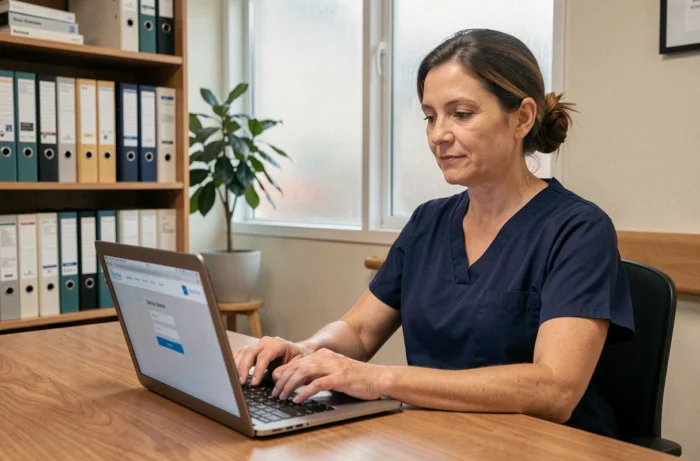
Netsoins is the computerized user file software (DUI) deployed in most EHPADs of the DomusVi group. Caregivers access it daily to enter transmissions, consult prescriptions, and track actions. Connection issues often occur at the worst times, during shift changes or on-call duties, and their causes go beyond just forgetting a password.
Multi-factor authentication on Netsoins: what changes for caregivers
For several months, some medical-social establishments have been deploying multi-factor authentication (MFA) on Netsoins to enhance the security of health data. This system concretely alters the login routine for caregivers.
After entering their username and password, the caregiver must validate a second factor (code received via SMS, notification on an authentication app, or physical key). This mechanism adds a step that, if not anticipated, generates new blockage scenarios.
When a caregiver loses access to their personal phone or changes their number without notifying the administrator, the second factor becomes a barrier. The backup procedure varies from one establishment to another: some provide a recovery code generated at registration, while others require a physical visit to the IT reference person. It is useful to know how to connect to Netsoins Domusvi considering these new authentication constraints, as traditional tutorials do not yet mention them.

Netsoins connection issues related to the establishment’s network
The internal network of an EHPAD is rarely comparable to that of a typical office. Wi-Fi access points cover large buildings, the thick walls of older structures weaken the signal, and dozens of shared tablets simultaneously demand bandwidth.
Ghost sessions on shared tablets
A caregiver forgets to log out at the end of their shift. The session remains open in the background. The next colleague tries to authenticate on the same device, and the Netsoins server refuses the double session or mixes profiles. Automatic disconnection occurs after several minutes of inactivity, but this delay is enough to create a bottleneck during shift changes.
The most reliable solution is to completely close the browser between two users, not just the tab. On a tablet, forcing the browser app to stop immediately clears the session cache.
Saturated Wi-Fi and intermittent cuts
A connection that spins without displaying an error message often points to a network issue, not an issue with credentials. Testing the connection on the phone’s 4G network allows for quick isolation of the cause: if Netsoins responds normally via mobile data, the establishment’s Wi-Fi is at fault.
Some checks to perform on the establishment’s side:
- Ensure that the local firewall has not been recently updated with rules blocking the domain netsoins.domusvi.com
- Check the load on the Wi-Fi access points during shift changes, when the majority of workstations connect simultaneously
- Ensure that the SSL certificate of the portal is recognized by the browser being used, as an expired or unapproved certificate triggers an alert screen that many caregivers interpret as a failure
Browser and workstation: settings that block access to Netsoins
Netsoins operates in a web browser, making it sensitive to settings that caregivers do not always control. Feedback from the field varies on this point, but certain settings consistently appear in diagnostics.
An outdated browser remains the most frequent technical cause of a blank page. Netsoins relies on recent web technologies. On fixed workstations in EHPADs, it is not uncommon to find browser versions that are several years old, never updated due to lack of administrative rights.
The accumulated cache and cookies pose a different problem. When the portal’s URL changes (server migration, addition of a subdomain), the old cache redirects to an outdated address. Clearing the cache or testing in private browsing resolves this type of blockage in seconds.
Browser extensions also deserve examination. An ad blocker or third-party security module may intercept requests to Netsoins. Temporarily disabling all extensions helps confirm or rule out this possibility.
Connecting to Netsoins DomusVi from outside: specific constraints
Accessing Netsoins outside the establishment (on-call, training, remote administrative work) adds a layer of complexity. The portal is generally protected by filtering rules that only allow certain ranges of IP addresses. From a home network, the caregiver’s IP address is not recognized, and the connection is denied without an explicit error message.
Some establishments provide a VPN to bypass this restriction. The caregiver must then install a VPN client on their personal workstation, connect to the establishment’s network remotely, and then open Netsoins normally. This process requires distinct VPN credentials from those of Netsoins, which multiplies sources of confusion.
Recent integrations with third-party tools (tele-expertise, telemedicine solutions) add an additional parameter. When Netsoins is coupled with a platform like Omnidoc for tele-expertise, an expired session on the integration side can block access to the patient file in Netsoins. This scenario is new and still poorly documented.

Connection traceability and health data security
Connection difficulties are not just a technical irritant. Every access to Netsoins is logged: username, timestamp, IP address, actions performed. This traceability meets regulatory requirements for the protection of health data.
A caregiver who shares their credentials with a colleague to “save time” exposes the establishment to legal risk. In the event of an incident on a patient file, the audit trail points to the account holder, not to the person who actually entered the data.
- Never save the Netsoins password in a shared browser
- Immediately report a compromised username to the establishment’s IT reference person
- Prefer manual logout rather than relying on automatic timeout
- Check with the administrator if MFA is enabled and ensure that the second factor is properly configured on an accessible device
The constraints of the Ségur digital health program push the publisher of Netsoins to further strengthen these mechanisms. The login screens and authentication steps are likely to evolve in the coming months, making it even more useful to understand the underlying logic rather than memorizing a fixed procedure.